Unity version: 2023.2.20f1 LTS
Target platform: Windows PC, macOS
View project blog View project dissertation View project repository
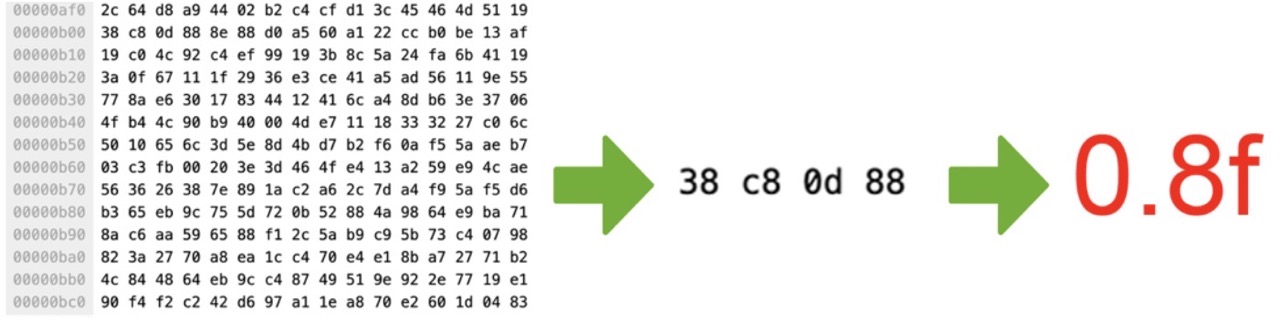
Diagram explaining audio analysis algorithm.
The main goal of DJ Simulator has been for me to develop and showcase my
algorithm for reactive environments based on a real-time analysis of raw
binary data extracted from music files. I have created a diagram
(shown above) that explains how this algorithm works.
There is no way for Unity to natively use audio data to generate useful float
or integer values that will be able to provide data for lighting intensity or
Transforms. This is because audio files contain huge amounts of raw binary
data (represented in hexadecimal on the left side of the diagram) that Unity
does not know how to make use of.
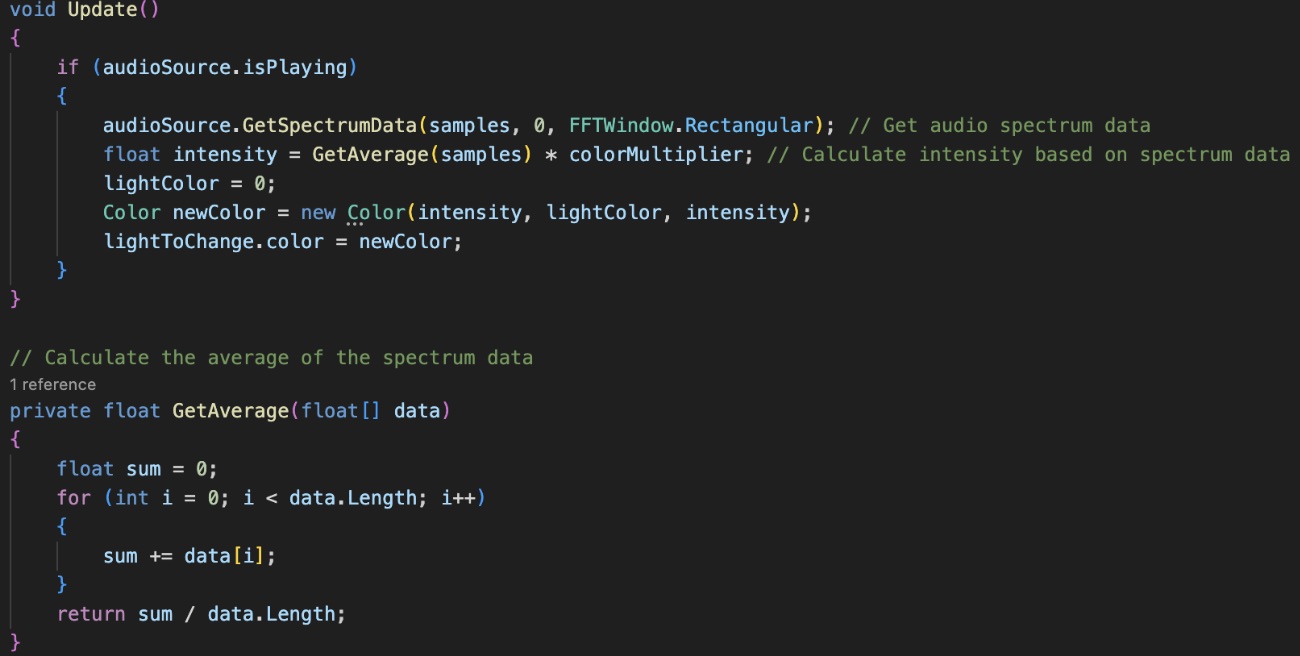
Code snippet detailing my audio analysis algorithm.
This is where my algorithm comes into play. It analyses the audio spectrum data of the currently playing Unity Audio Source and then collects much smaller data samples into an array, upon which an average value is calculated. The result of this analysis and calculation is a very usable float value, that can then be used to control elements within Unity, such as colour & intensity of lighting, Transform coordinates of objects or even gravity (makes an awesome game idea!).
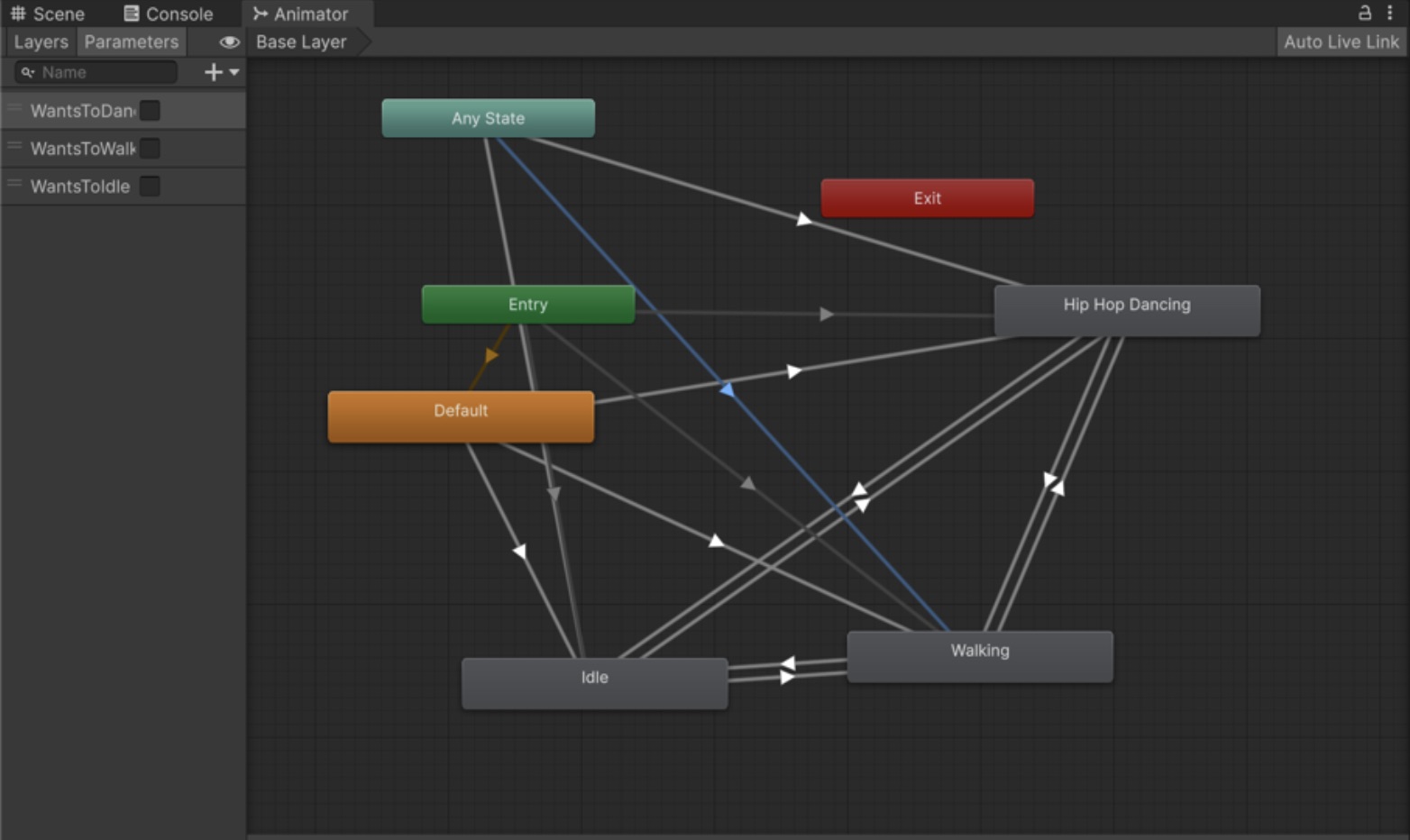
Animator state machine.
Another goal of this project was to develop a realistic crowd simulation. In order to achieve this, I have developed a neural-like Animator state machine. It checks for conditions in the player’s actions, and makes a selection for the NPC’s animation based on what action they need to perform. It also handles the NPCs walking in, and dispersing into a realistic crowd.